
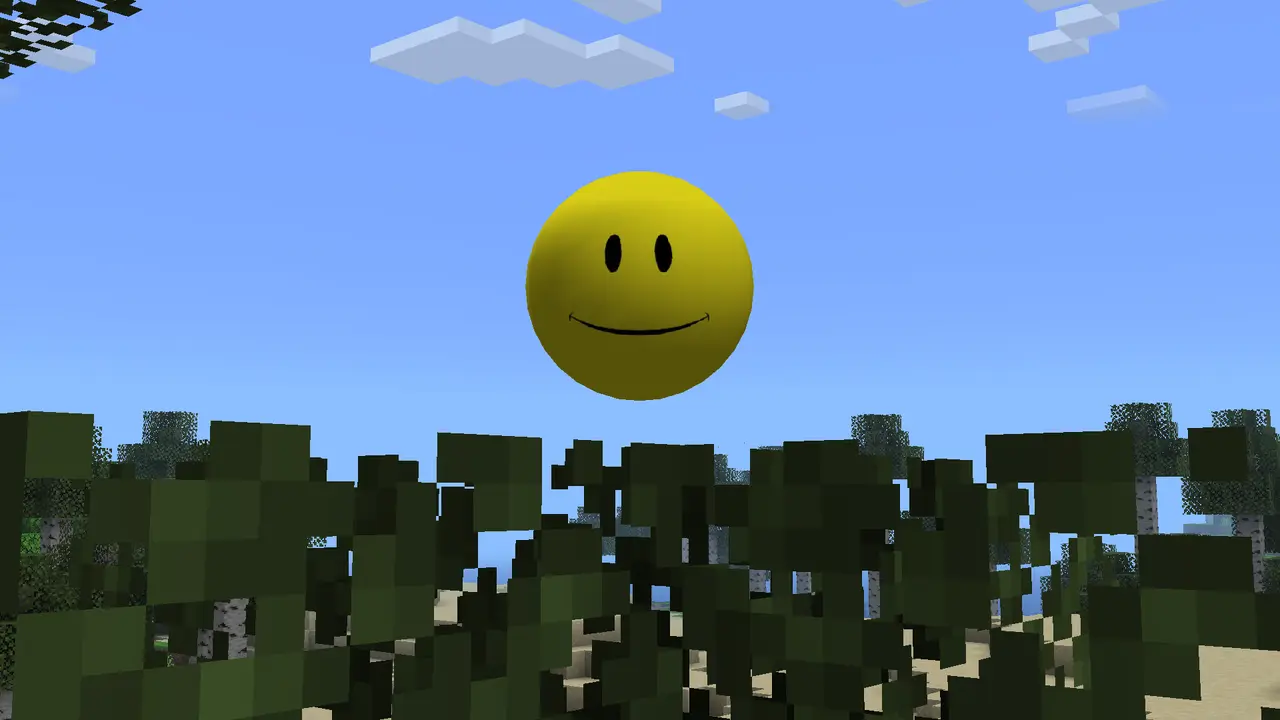
Verity Mod Java currently points to the project label v6.0.0-beta.7 and the published file verity-6.0.0-beta.7.jar. The file targets Minecraft Java 1.20.1 with Forge, is 257.9 MB, and was published on August 19, 2026.
Download the verified Verity Mod Java fileWhat Verity Mod Java is
Verity JE turns the yellow AI companion from ThatMob's Verity concept into a playable Minecraft Java mod. The project describes the adaptation as authorized, while search results also contain remakes, resource packs, reposts, and similarly named Bedrock listings that must be checked separately.
The Java mod is more than a character texture: the published feature description includes an animated arrival box, a Verity Demon, darkness, scripted atmosphere changes, and conversation features. The AI service is a separate setup layer, so downloading the JAR is only the first step. If you need to download Verity Mod Java, verify the source and loader before treating the file as ready for a world.
The practical boundary is simple: Verity Mod Java describes the Java Edition release and its Forge environment, while similarly named Bedrock pages, remakes, and reposts may describe different packages. Check the edition, loader, filename, and source URL together before installation.
Verity Mod Java compatibility
The current verified combination is Minecraft Java Edition 1.20.1 with Forge. A 1.20.1 release is not automatically compatible with 1.20.2, 1.20.4, or 1.21, and Fabric or NeoForge should not be treated as drop-in replacements unless a future project record lists them.
The current project label is v6.0.0-beta.7 and the published file is verity-6.0.0-beta.7.jar. Keep both pieces of identity in your notes, match the filename and source URL, and do not infer compatibility from a version label alone. If you need to download Verity Mod Java for a different Minecraft branch, stop and check for a separate published release instead of guessing.
A compatible Java profile also needs a normal Forge launch, a readable active instance path, and enough disk space for the JAR, logs, worlds, and any local Ollama model. These are practical Verity Mod Java requirements: a matching label alone cannot repair a wrong loader, a stale profile, or a missing dependency.
| Requirement | Verified value | Meaning |
|---|---|---|
| Edition | Minecraft Java | Not Bedrock or MCPE |
| Minecraft | 1.20.1 | Use the exact game branch |
| Loader | Forge | Do not load in a Fabric-only profile |
| Project label | v6.0.0-beta.7 | Record the source label |
| File | verity-6.0.0-beta.7.jar | 257,909,430 bytes |
| Install side | Client and server | Match files in multiplayer |
AI setup: Groq online or Ollama local
The conversational features need an AI backend. Groq is the online path and depends on network access and a private provider credential. Ollama is the local path and depends on the service, model, port, memory, and local hardware. Choose one path and confirm a text response before enabling voice.
The project reports speech-to-text and text-to-speech testing in English. Chat may support other languages, but that statement is not a guarantee that microphone input and spoken output work equally in every language. Never publish an API key in screenshots, logs, or a public modpack.
A mod that appears in Minecraft but does not answer is usually a connection setup problem, not proof that the JAR failed to load.
How to download Verity Mod Java safely
To download Verity Mod Java, use the verified Modrinth project or its published CDN file. Compare the project label v6.0.0-beta.7, the file verity-6.0.0-beta.7.jar, Minecraft Java 1.20.1, Forge, the 257.9 MB size, and the August 19, 2026 publication date. The direct file URL on this page is stable and has no expiring signature parameter.
Do not rename an EXE, ZIP, APK, MCAddon, or unrelated CurseForge upload to look like the Java file. A CurseForge launcher profile can be part of a user's workflow, but the source ownership and exact release should still be verified from the project record. To download Verity Mod Java safely, compare the file identity again when the browser download finishes.
A useful example is a clean Java 1.20.1 Forge instance with one JAR, a new test world, and the AI backend disabled until the mod appears in the Mods screen. That example keeps the Java installation question separate from API, voice, and multiplayer questions.
- Minecraft Java Edition 1.20.1 is selected.
- Forge is the active loader.
- The file is verity-6.0.0-beta.7.jar.
- The server and client use the same release for multiplayer.
Performance, privacy, and account expectations
A 257.9 MB mod needs more disk space than a simple texture change. Leave room for Minecraft, logs, worlds, and an optional local Ollama model. If the game stutters, start with a clean Verity profile without shaders or a large modpack and leave memory for the operating system.
Groq requests leave the computer and follow that provider's account and privacy terms. Ollama can process prompts locally, but logs and backups still remain on the device. Redact usernames, server addresses, tokens, and API keys before sharing support material.
Verity Mod Java requirements in practice
Use a dedicated launcher instance named with Minecraft 1.20.1, Forge, and the Verity label. Keep its mods, configuration, and worlds separate from a general modpack so the active directory is obvious and an older JAR cannot remain beside the current file.
For multiplayer, the server and every client need a compatible Java 1.20.1 environment, Forge loader, and matching Verity file. Test the connection and AI behavior before moving an established world into the instance, and keep credentials out of any downloadable pack. When you download Verity Mod Java for a server, record the same release label for every client so a mismatch is visible before a world is opened.
- Minecraft Java Edition 1.20.1 is selected.
- Forge is the active loader.
- The file is verity-6.0.0-beta.7.jar.
- The server and client use the same release for multiplayer.
Verity Mod Java FAQ
Is Verity JE the official Verity Mod Java project?
The project describes Verity JE as an authorized adaptation. That does not validate every similarly named upload, repost, or Bedrock listing.
What is the current Verity Mod Java file?
The checked project label is v6.0.0-beta.7; the attached published file is verity-6.0.0-beta.7.jar for Minecraft Java 1.20.1 with Forge.
Does Verity JE work on Fabric?
The current source record lists Forge for Minecraft 1.20.1, not Fabric.
How do I download Verity Mod Java?
Use the verified Modrinth project or the stable CDN file linked above, then match Java 1.20.1 and Forge before installation.
Does the Verity Java mod work in multiplayer?
The project requires installation on both client and server. Use Minecraft Java 1.20.1, Forge, and the same Verity JAR on both sides before testing on a backed-up server.
Sources and verification
Product facts on this page were checked on July 19, 2026. Verity Mods Wiki is independent and does not claim ownership of Verity JE or Minecraft.