

When the Verity API connection failed message appears, confirm Minecraft Java 1.20.1 reaches the title screen with Forge and one verity-6.0.0-beta.7.jar. Then test Groq or Ollama outside the game, check credentials, ports, network access and the newest log line.
Start with the exact error stage
A crash before the title screen points to Java, Forge, memory, a duplicate JAR, or a mod conflict. A normal launch with no Verity entry points to the profile or mods folder. A visible companion with no response points to the AI backend. A single-player profile that fails only on a server points to files or server configuration.
Change one layer at a time and preserve the newest log before relaunching. A clean test profile is usually faster than deleting every file from a large modpack because it keeps the evidence comparable.
Read the status literally: a Verity API connection failed message after a normal launch points to the request layer; Verity API connection failed 401 points to authorization; Verity API connection failed 429 points to quota or rate limiting. If Minecraft failed before the title screen, investigate Java or Forge first.
| Symptom | Likely layer | First check |
|---|---|---|
| Crash before menu | Java / Forge / conflict | latest.log and crash report |
| Mod missing | Profile path | active instance mods folder |
| API connection failed | Groq / Ollama | credential, service, network |
| 401 response | Authorization | key, endpoint, account |
| 429 response | Rate limit | quota, retry timing, provider status |
| Cannot join server | Version mismatch | same Forge and Verity file |
How to fix Verity API connection failed errors
An API connection failed message means the game reached the AI request stage. For Groq, confirm that the credential is present in the expected configuration, has not been revoked, contains no accidental spaces, and is not exposed in a shared file. Check whether a firewall, proxy, school network, or provider outage blocks the request.
For Ollama, confirm the service is running, the model exists, the configured model name is exact, and the local port is reachable outside Minecraft. A local request can fail because of memory pressure, a changed port, or a service bound to a different interface.
If Verity API connection failed starts after a key, model, or endpoint change, compare the newest working configuration with the current one instead of changing several settings at once. That comparison often separates an authorization problem from a network or local-service problem.
- Launch Java 1.20.1 with Forge before testing the AI backend.
- Keep one matching Verity JE JAR in the active profile.
- Test Groq or Ollama outside Minecraft.
- Save the newest log line and remove private credentials.
- Compare client and server versions before multiplayer testing.
Never send an API key to a stranger offering remote support. Revoke any credential that appeared in a screenshot, log, or public pack.
Fix Forge crashes or a missing Verity entry
Verify that the launcher starts Minecraft 1.20.1 through Forge. Vanilla ignores the Forge mods folder, and Fabric is not a drop-in loader for this release. Keep the file named verity-6.0.0-beta.7.jar; do not place it inside another ZIP or nested directory.
Remove duplicate Verity files. If the crash continues, create a fresh Forge 1.20.1 instance with only Verity JE. Success there indicates a conflict in the original profile; failure in both profiles gives you a smaller, more useful log.
- 1
Confirm profile
The launcher must show the intended Minecraft 1.20.1 Forge installation.
- 2
Confirm path
Open the instance folder from the launcher instead of guessing the global .minecraft path.
- 3
Remove duplicates
Keep one Verity JE JAR and one version of each required dependency.
- 4
Test clean
Use a new profile and world before adding other mods back.
Fix speech, microphone, and audio problems
The project reports speech-to-text and text-to-speech testing in English. Start with an English phrase, confirm that Java can use the microphone, select the correct input device, and close applications that take exclusive control.
If text responses work but voice input fails, the problem is probably the audio pipeline rather than the API. If a response is generated but not spoken, check the output device, volume, and text-to-speech configuration. Other languages may work, but they are outside the project's tested voice statement.
Fix multiplayer and server problems
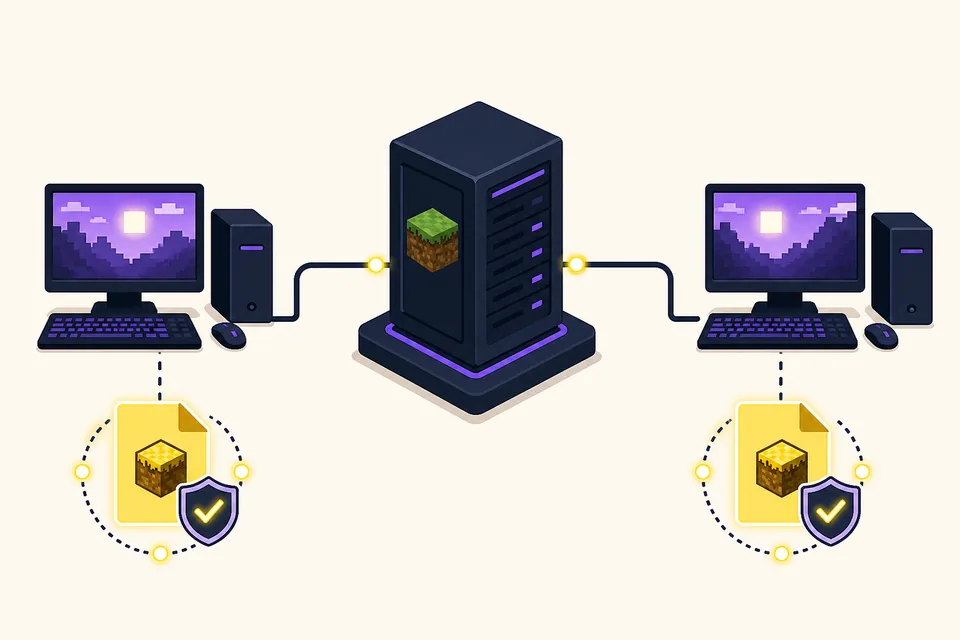
The project metadata lists Verity JE as required on both client and server. Compare Minecraft 1.20.1, the Forge environment, the exact Verity file, and related mods. Stop the server before replacing files and keep a world backup.
If single-player works but multiplayer does not, preserve client and server logs from the same connection attempt. Keep private AI credentials out of a public server pack and confirm that the process handling requests can reach Groq or Ollama.
- Launch Java 1.20.1 with Forge before testing the AI backend.
- Keep one matching Verity JE JAR in the active profile.
- Test Groq or Ollama outside Minecraft.
- Save the newest log line and remove private credentials.
- Compare client and server versions before multiplayer testing.
When to report a bug
Report a bug after reproducing it in a clean profile with the current source record. Include the Verity label, filename, Minecraft version, Forge version, operating system, backend, exact failure stage, and a redacted log excerpt. Remove keys, usernames, server addresses, and private paths.
Do not call a scripted horror event a technical bug without checking expected behavior. Conversely, do not assume every crash or mode change is part of the story. Repeatable steps and logs define the boundary.
A repeatable Verity API connection failed checklist
Use the same order every time: confirm the game branch, confirm Forge, confirm the active mods folder, confirm the single Verity JAR, test the AI backend, and only then test voice or multiplayer. Recording each result prevents a later change from hiding what worked.
Finish by writing down the fix: version label, file name, loader, backend, and configuration change. That record is more useful than a general reinstall and makes future server support faster. If Verity API connection failed returns later, the record gives you a known-good comparison point.
- Launch Java 1.20.1 with Forge before testing the AI backend.
- Keep one matching Verity JE JAR in the active profile.
- Test Groq or Ollama outside Minecraft.
- Save the newest log line and remove private credentials.
- Compare client and server versions before multiplayer testing.
Verity Mod Troubleshooting FAQ
Why does Verity show API connection failed?
Check the selected Groq or Ollama backend, credential or service status, network access, configured model, and the newest error line. The phrase Verity API connection failed identifies the request stage, not one single root cause.
What does a Verity API connection failed 401 error mean?
A 401 normally points to an invalid, missing, revoked, or incorrectly stored credential or endpoint. Replace the key safely and do not share it.
What does a Verity API connection failed 429 error mean?
A 429 usually indicates a provider rate limit or quota window. Check usage, wait before retrying, and avoid rapid repeated requests.
Why is Verity not in my Mods list?
Verify Minecraft 1.20.1 Forge, the active instance path, the exact file name, and that only one Verity JAR is present.
Why can I play single-player but not join a Verity server?
Match the Minecraft branch, Forge environment, Verity file, dependencies, and server-side AI configuration on both sides.
Sources and verification
Product facts on this page were checked on July 19, 2026. Verity Mods Wiki is independent and does not claim ownership of Verity JE or Minecraft.